Two photos.
A before/after that pops.

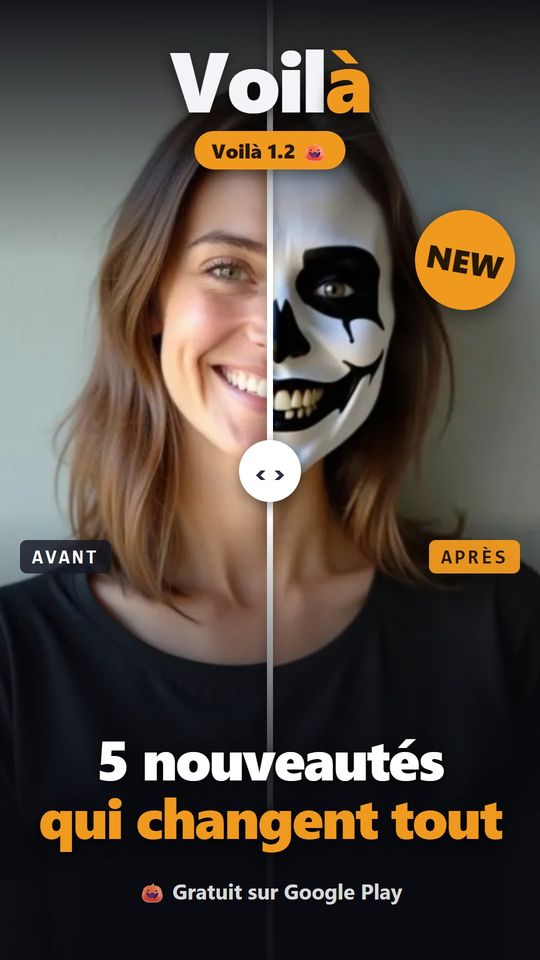
Voilà turns two photos into a stylish before/after, ready to share on Insta, TikTok or WhatsApp — in 3 taps, with zero editing skills.

What's new Voilà 1.2 · Oct. 2026

A redesigned flow: first pick what you want to share, Voilà handles the rest.

▶

🎃 The 5 new features on video (in French, 1 min 57)

Left: the

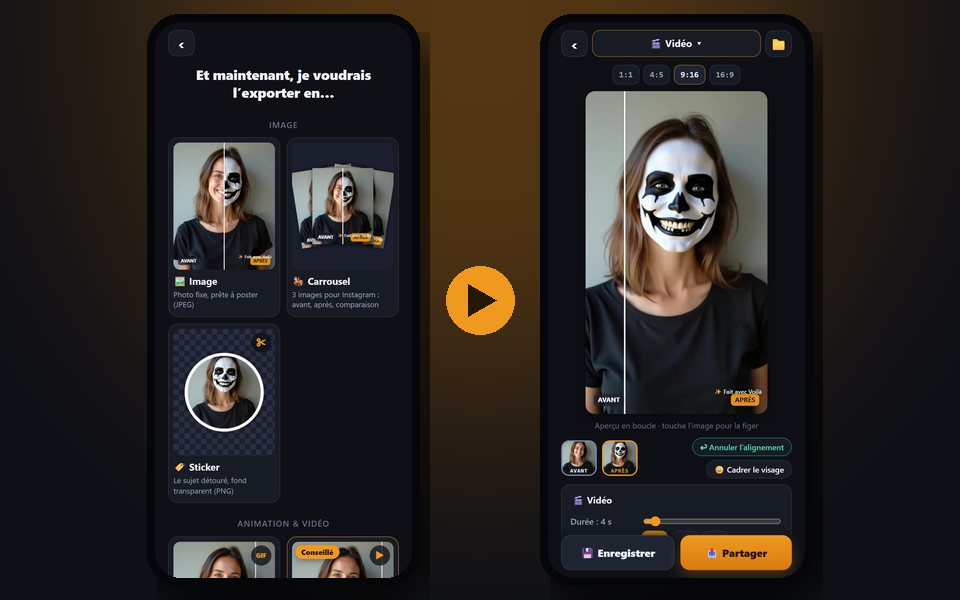
🧭 Pick your format first

As soon as your two photos are in, Voilà asks what you want to share: image, carousel, sticker, GIF, video, music video, crossfade or interactive page. Each card already shows YOUR before/after, in motion. One tap and you land on the right settings.

  • 8 formats, each with an animated preview
  • Your photos in every card
  • Recommended for your use
  • Switch format anytime
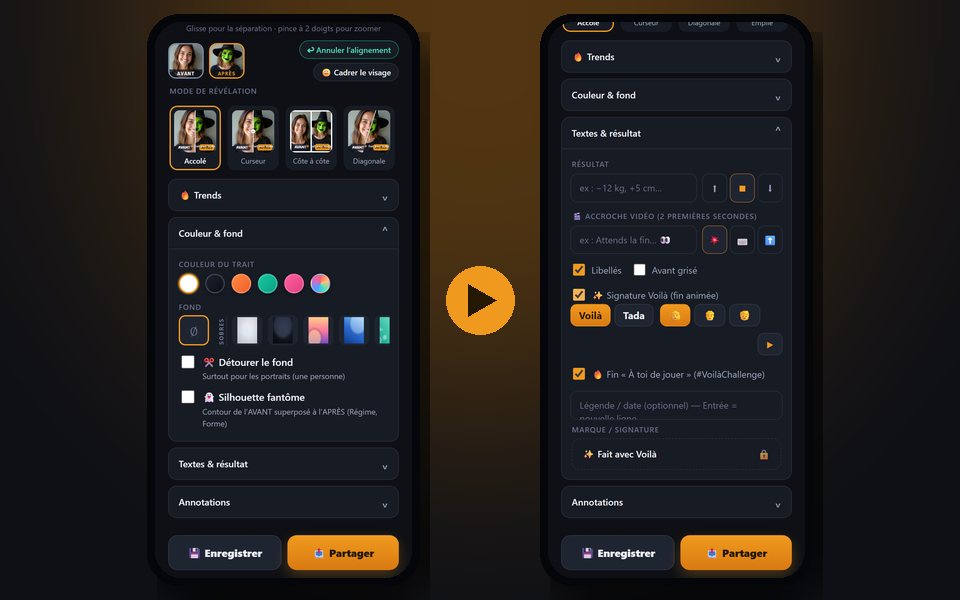
Left: the settings of a still image; right: those of a video with hook and signature

🎛️ Only the settings that matter

Each format only shows what it uses. Image: color, background, texts, annotations. Video: length, hook, sound signature and "Your turn" ending. Sticker: nothing at all, your subject is already cut out. And the preview already plays your video.

  • No more options that do nothing
  • Animated preview for GIF and videos
  • Music video with signature and ending
  • Interactive page with your background
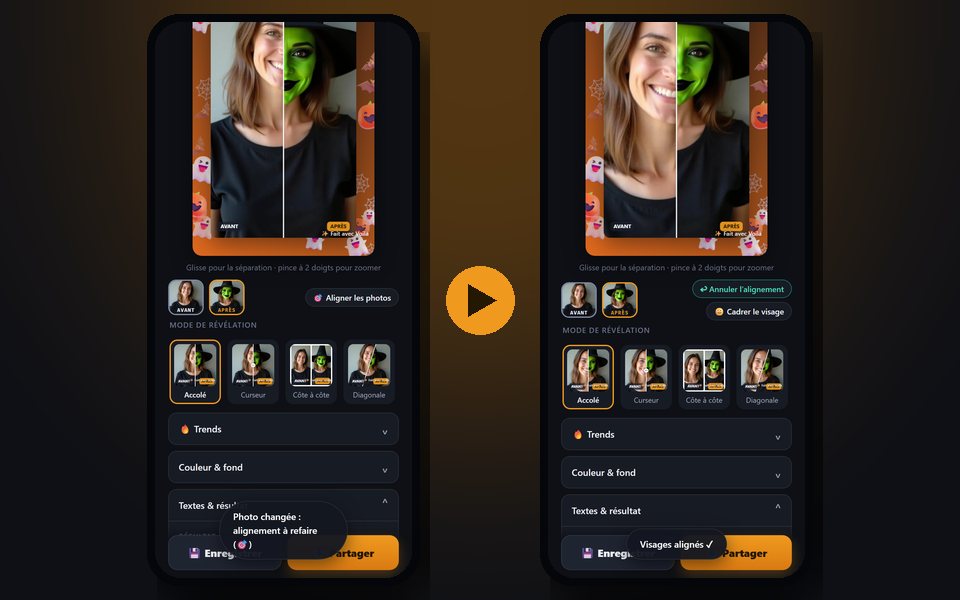
AFTER photo swapped: the face is off, then realigned in one tap by auto-align

🔄 Swap a photo, keep everything else

Your edit is ready and you want to try another photo? Tap the BEFORE or AFTER thumbnail and pick another one: background, caption, style and annotations stay in place. Only the alignment has to be redone, and Voilà offers it.

  • Gallery or camera
  • Settings kept
  • Grid steps updated
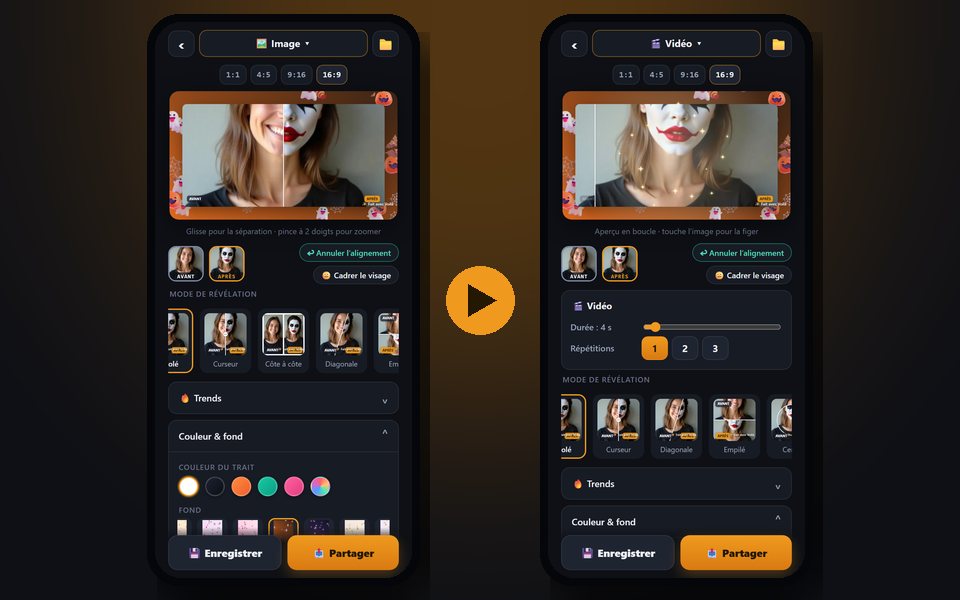
A before/after in 16:9 landscape, as an image then as a video

📺 16:9 landscape format

For YouTube, a Facebook post or the TV screen: before/afters now come in landscape, as images and videos (1920 × 1080). Texts and labels keep the right proportions.

  • 1920 × 1080 image and video
  • Texts at the right size
  • Default for the Landscape use
The

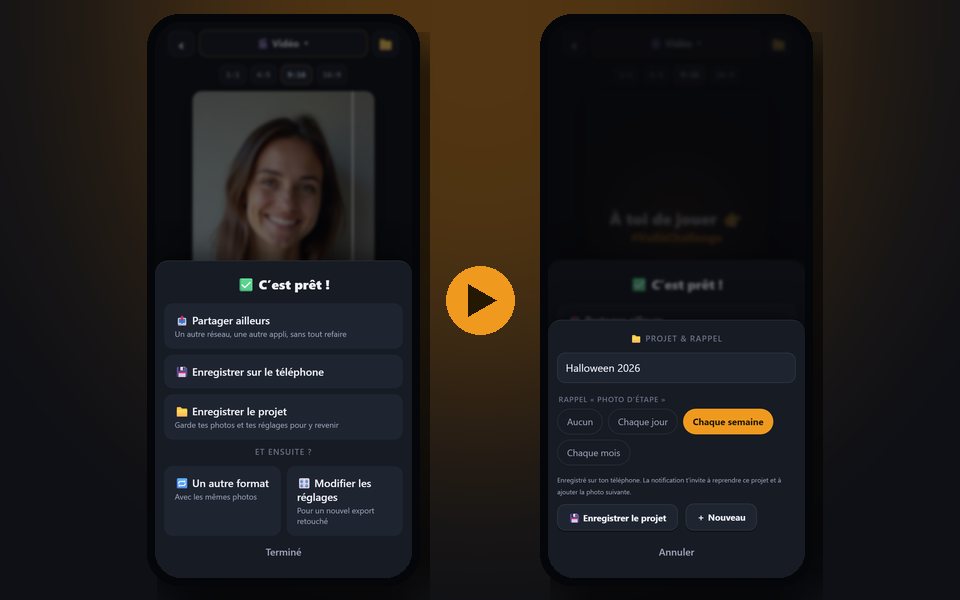
✅ Shared — what next?

Your video is out? Voilà offers what comes next: share it elsewhere without redoing it, save it to the phone, keep your project (with a reminder if you like), or start again from the same photos with another format or tweaked settings.

  • Share elsewhere without re-rendering
  • Project and reminder in one tap
  • Another format, same photos

Still new Voilà 1.1 · Sept. 2026

Six new features other before/after apps don't have — computed on your phone, your photos never leave it.

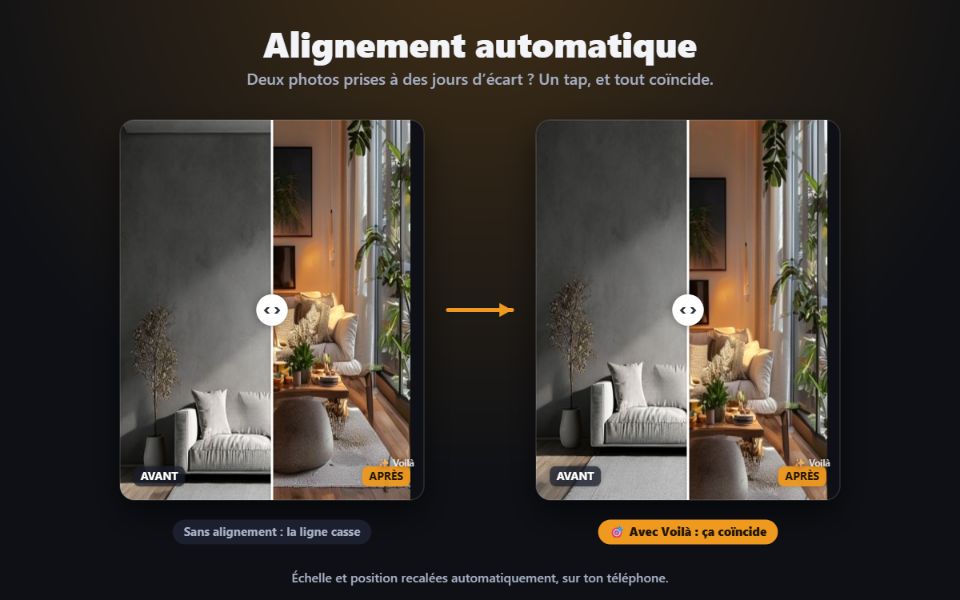
Auto-align: on the left the split line breaks, on the right both photos coincide

🎯 Auto-align

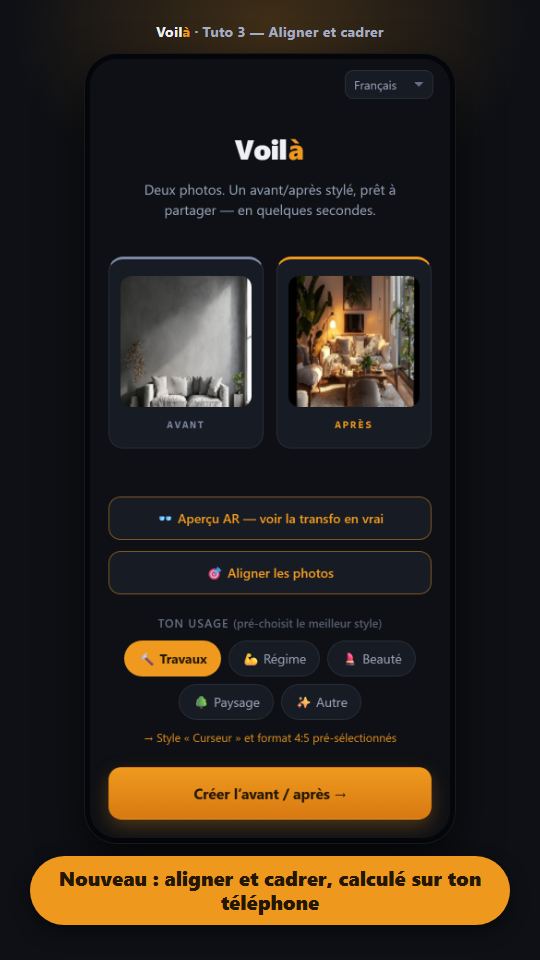
Your two photos weren't shot from exactly the same spot? Voilà finds the common area and registers the after onto the before: same scale, same position. One tap, and the split line no longer breaks.

  • Edges for rooms, renovations, gardens
  • Silhouette for body transformations
  • On-device, nothing uploaded
  • Undo in one tap
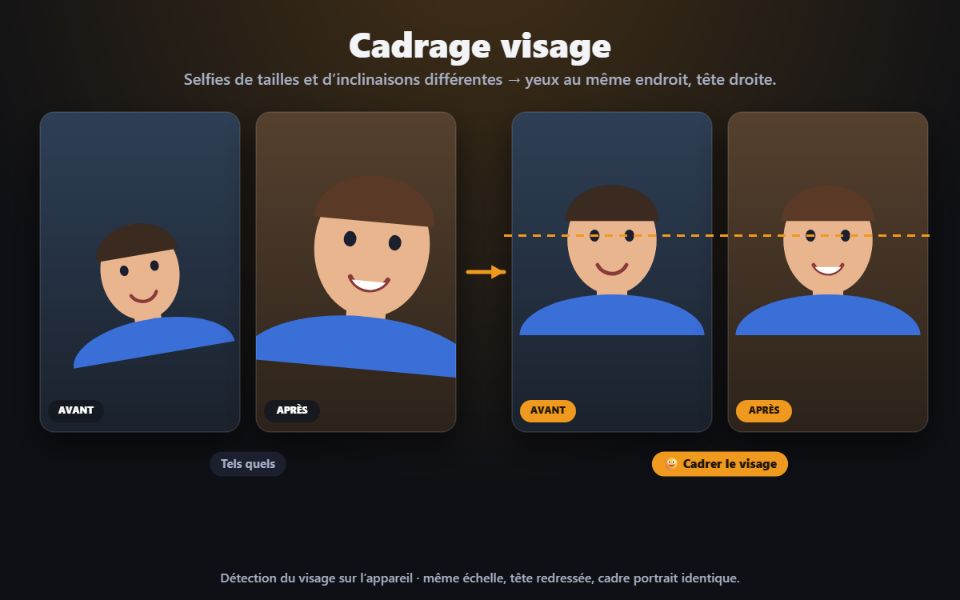
Face framing: two different selfies brought to the same frame, eyes aligned

🙂 Face framing

For selfies and beauty transformations: Voilà detects the face on both photos, puts the eyes in the same place, straightens the head and offers an identical portrait crop. The comparison finally becomes fair.

  • Eyes aligned, head straightened
  • Same face scale
  • Portrait crop in one tap
  • Beauty use: automatic
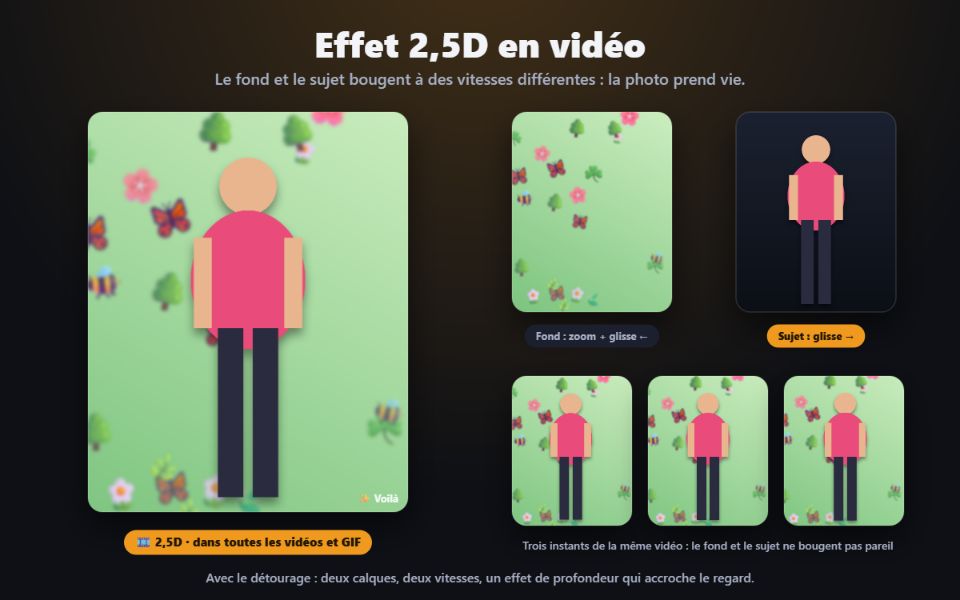
2.5D effect: the composed scene and its two layers, background and subject

🎞️ 2.5D video effect

With background removal, your video is no longer a flat picture: background and subject move at different speeds, like in the movies. A depth effect that catches the eye in the feed.

  • Video, GIF, timelapse, clip: everywhere
  • Blurred background, depth-of-field look
  • On by default with background removal
  • One checkbox to turn it off
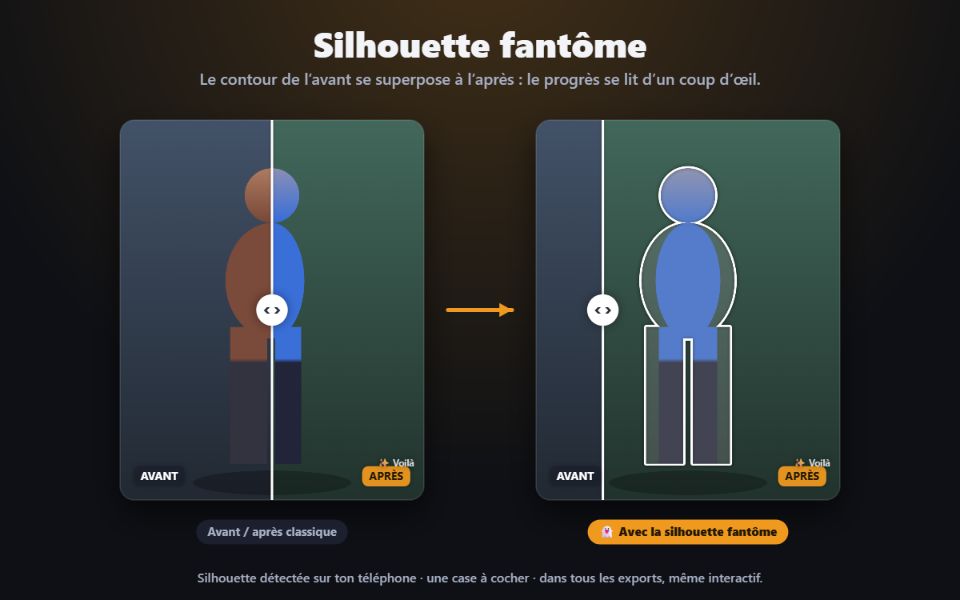
Ghost silhouette: the outline of the before over the after photo

👻 Ghost silhouette

For body transformations: the outline of your before silhouette is laid over the after photo. Progress reads at a glance, with no cheating on scale or pose.

  • Outline + veil of the BEFORE
  • Line color matches the theme
  • Every export, even interactive
  • One checkbox, on / off
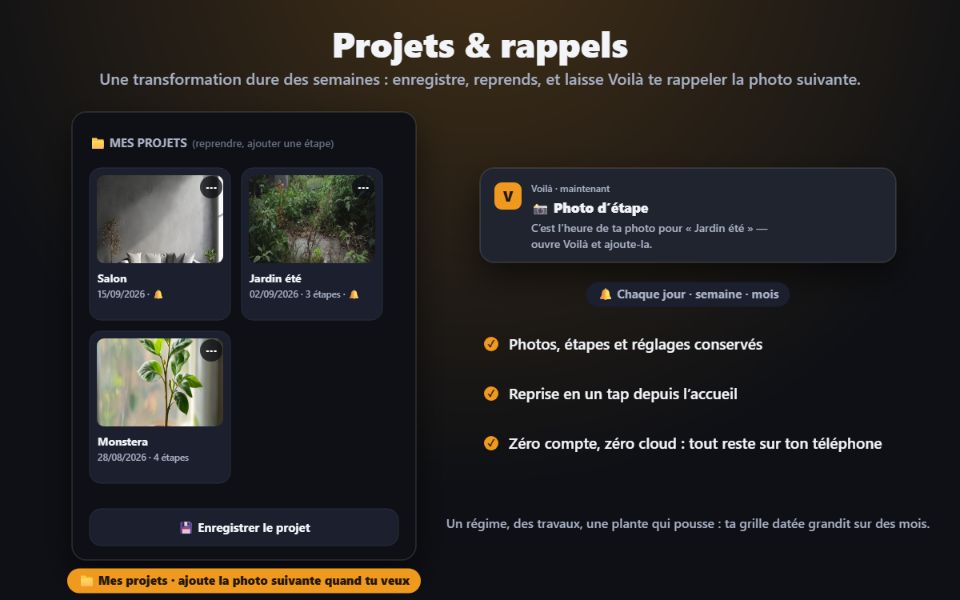
Projects and reminders: the My projects strip and a step-photo notification

📁 Projects & reminders

A diet, a renovation, a growing plant: it takes weeks. Save your project (photos, steps, settings) and resume it whenever you want. A reminder tells you when it's time for the next photo.

  • Photos and steps kept on your phone
  • Resume in one tap from the home screen
  • Daily, weekly or monthly reminder
  • No account, no cloud
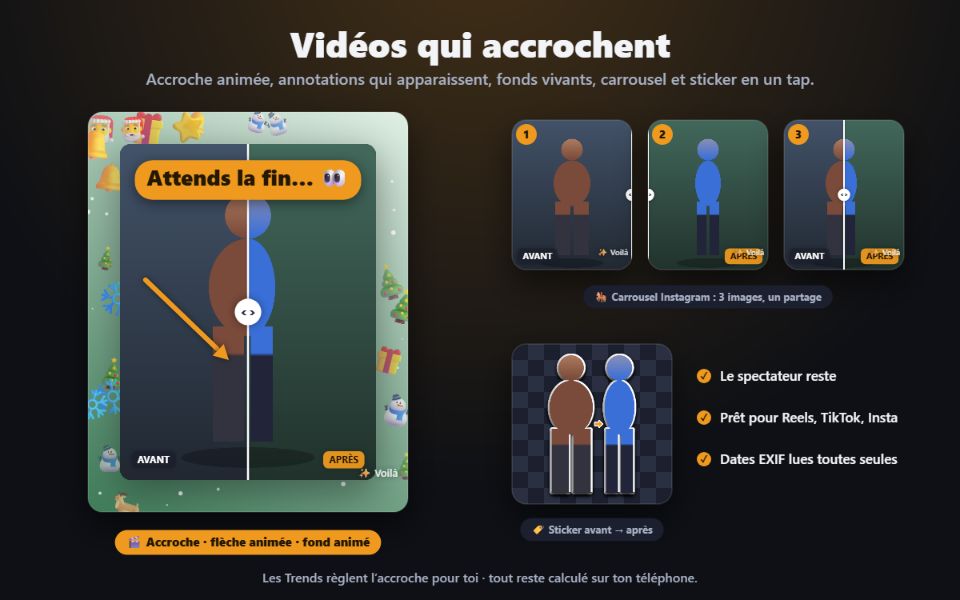
Videos that hook: animated hook, arrow, snow, carousel and sticker

🎬 Videos that hook

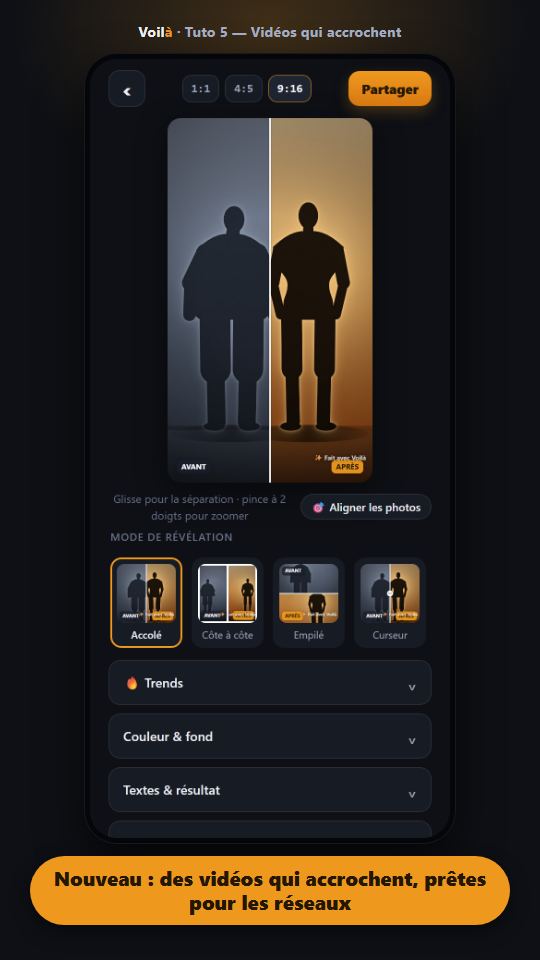
An animated hook in the first two seconds (“Wait for it… 👀”), annotations that appear one by one, living backgrounds (snow, confetti, petals, bokeh), and two new exports for social networks: the three-image Instagram carousel and the cut-out subject sticker.

  • Hook: pop, typewriter or slide
  • Animated annotations and backgrounds
  • Carousel: 3 images, one share
  • Sticker: transparent, alone or before → after
  • EXIF dates read for the dated grid

Everything for a pro look

No sign-up. Everything runs on your phone — your photos never leave the device.

🎚️

12 reveal styles

Slider, diagonal, circle, clock, spotlight, dissolve, mosaic and the "oddly satisfying" morph.

🎬

8 export formats

Image, carousel, sticker, GIF, video, music video, crossfade and interactive page — in portrait, square or 16:9 landscape.

↔️

Interactive & Guess

A page where the viewer drags the line, or guesses the after before revealing.

📸

Dated grid

Up to 6 dated photos to show progress over time.

🥽

Live AR preview

Overlay the before on the camera to capture a perfectly aligned after.

✨

"Et voilà!" signature

An animated ending with sparkles and a recognizable sound. #VoilàChallenge

Tutorials

Five short videos to master everything, on YouTube. The steps in plain words under each video.

▶

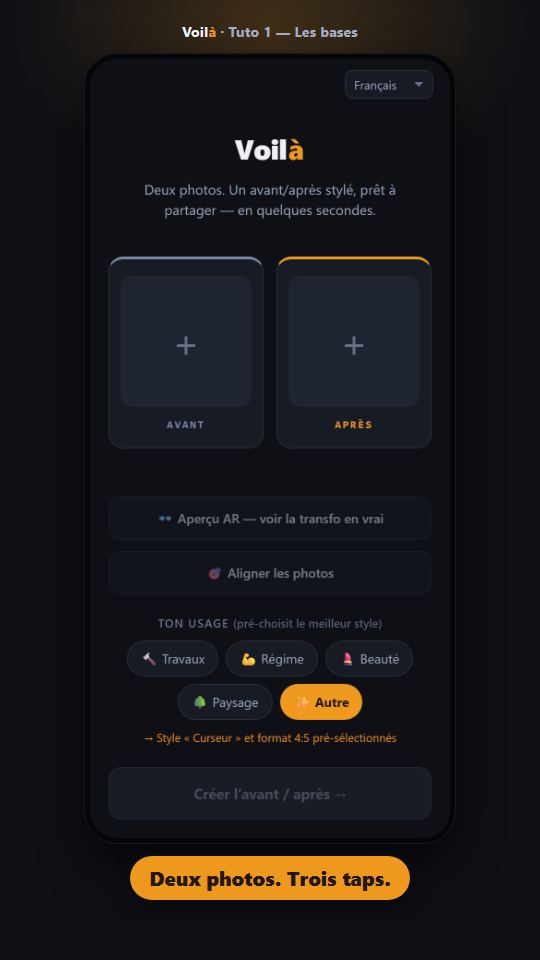
1 · The basics ≈ 45 s

  1. Pick the before and the after: gallery or camera (with ghost overlay)
  2. Pick your use case: the best style is preselected
  3. Drag the split, pick the format and color
  4. Share: image, video, GIF or interactive page
▶

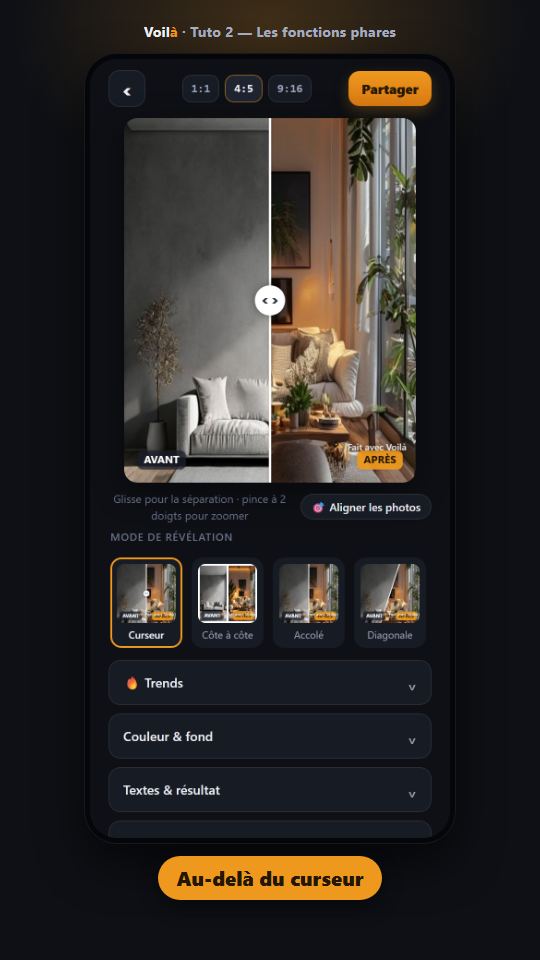
2 · Flagship features ≈ 75 s

  1. The 12 reveal styles, including morph
  2. Video, GIF, music clip: length and repeats
  3. Interactive and Guess: the viewer plays
  4. Dated grid and AR preview for the after shot
  5. Background removal on themed backgrounds, Trends, presets, annotations
▶

3 · Align and frame ≈ 50 s

  1. The problem: two photos never shot the same way
  2. Auto-align: one tap, the split line no longer breaks
  3. Undo and go back, any time
  4. Selfies: faces aligned, head straight, identical portrait crop
▶

4 · Effects and projects ≈ 60 s

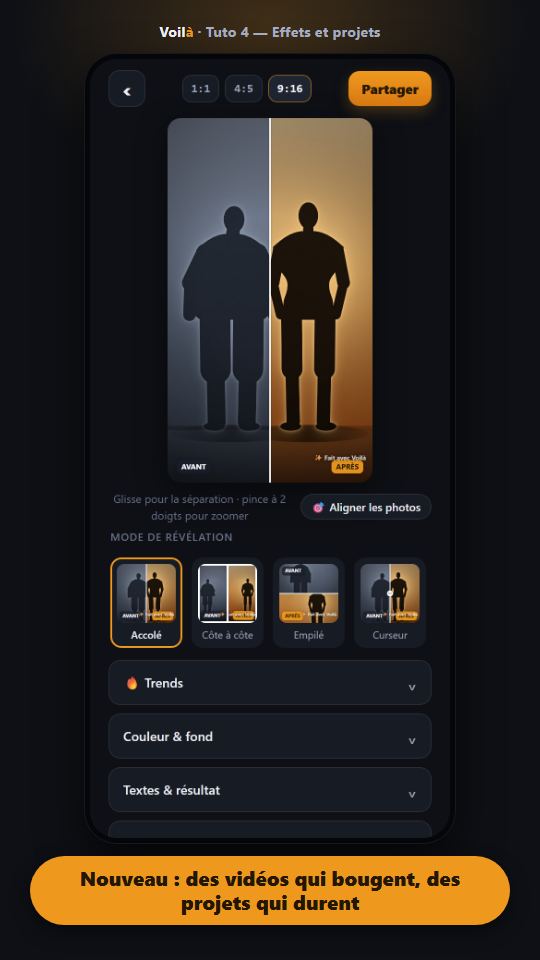
  1. 2.5D effect: background removal, the checkbox, the moving video
  2. Ghost silhouette: the before outline over the after photo
  3. Save a project, resume it from the home screen
  4. Schedule the “step photo” reminder
▶

5 · Videos that hook ≈ 60 s

  1. The video hook: animated text in the first 2 seconds
  2. Animated annotations and living backgrounds
  3. Carousel for Instagram and Sticker in one share
  4. Shooting dates read automatically in the grid

▶ The whole “Voilà — Tutorials” playlist on YouTube

Ready to make your Voilà?

Already on Google Play — free, no sign-up, no restrictions, no data collected! Premium to remove the watermark and add your brand.